Coordinate people and daily work.
Keep operational jobs and housekeeping in the same workspace as the bookings they support.

Bring bookings, guest information, housekeeping, team tasks and reporting into the same day-to-day workspace, alongside your website and direct-booking tools.
Start with free listings. Choose optional paid tools when they fit your business.
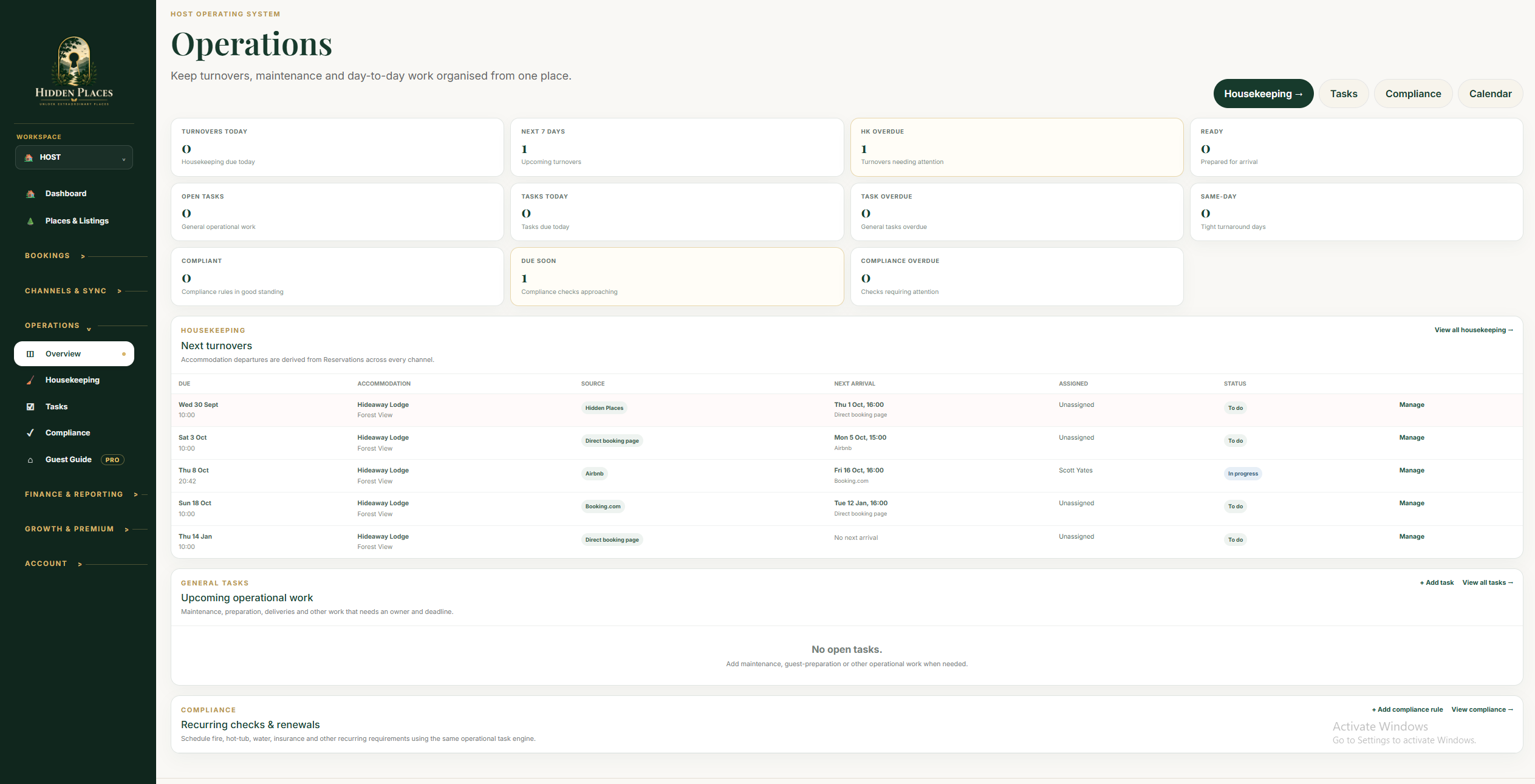
Keep operational jobs and housekeeping in the same workspace as the bookings they support.
Give teams and providers a shared place to follow work, with existing permissions controlling access.
Use performance and reporting tools to review activity alongside guest and operational information.
The Distribution capability is part of Pro, but API channel integrations are awaiting certification. A Pro subscription does not make an uncertified connection operational or guarantee provider availability. Additional tracking/integration modules are foundation only, not live tools. Unified channel messaging, CRM and additional specialist managers remain roadmap features.
A reservation arrives for one of several stays. Review it in the calendar, coordinate the existing turnover and task tools, share guest information through native conversations and a Guest Guide, then review booking activity and reporting. This connects existing tools; it does not promise an automatic action for every step.
See the connected Host OS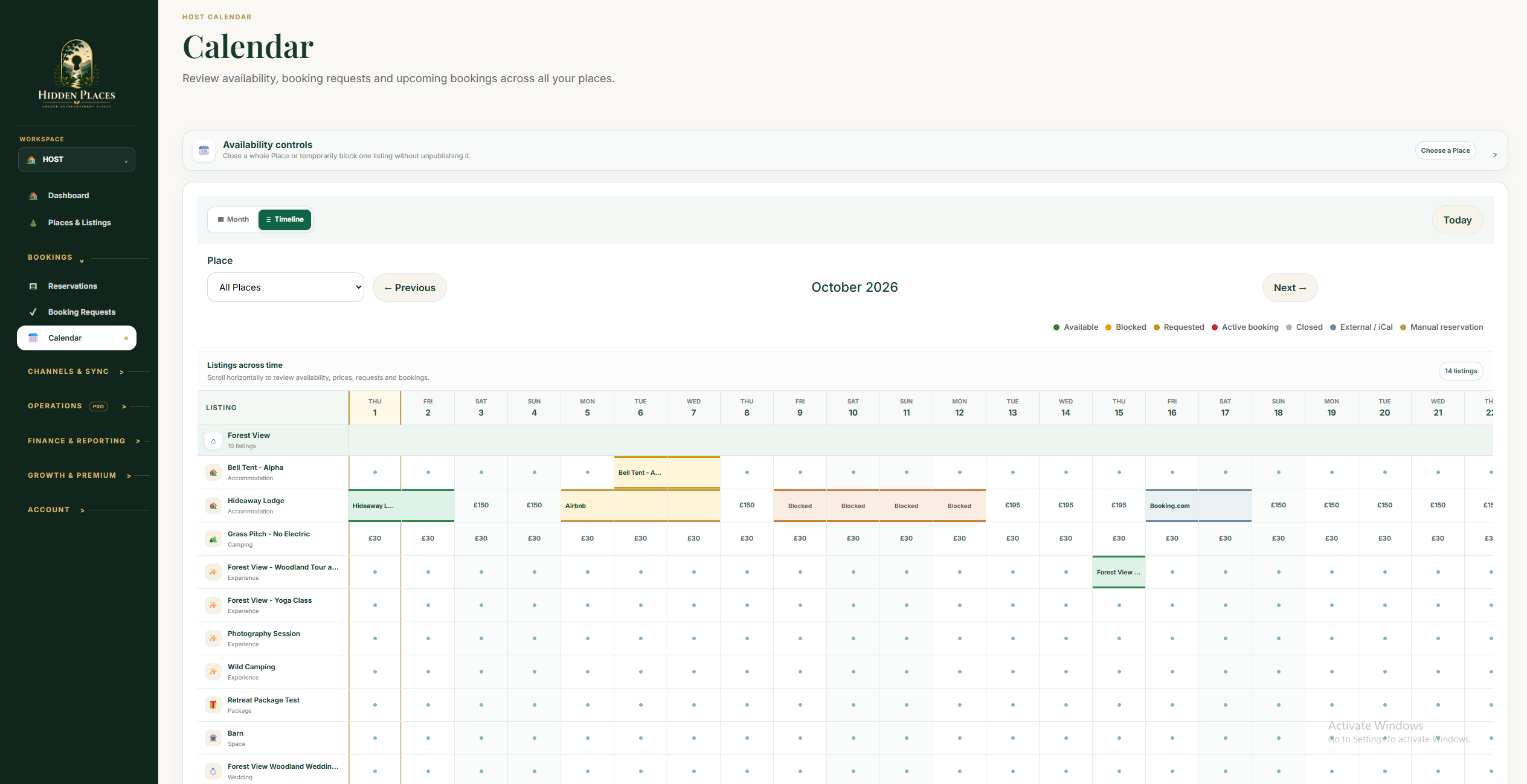
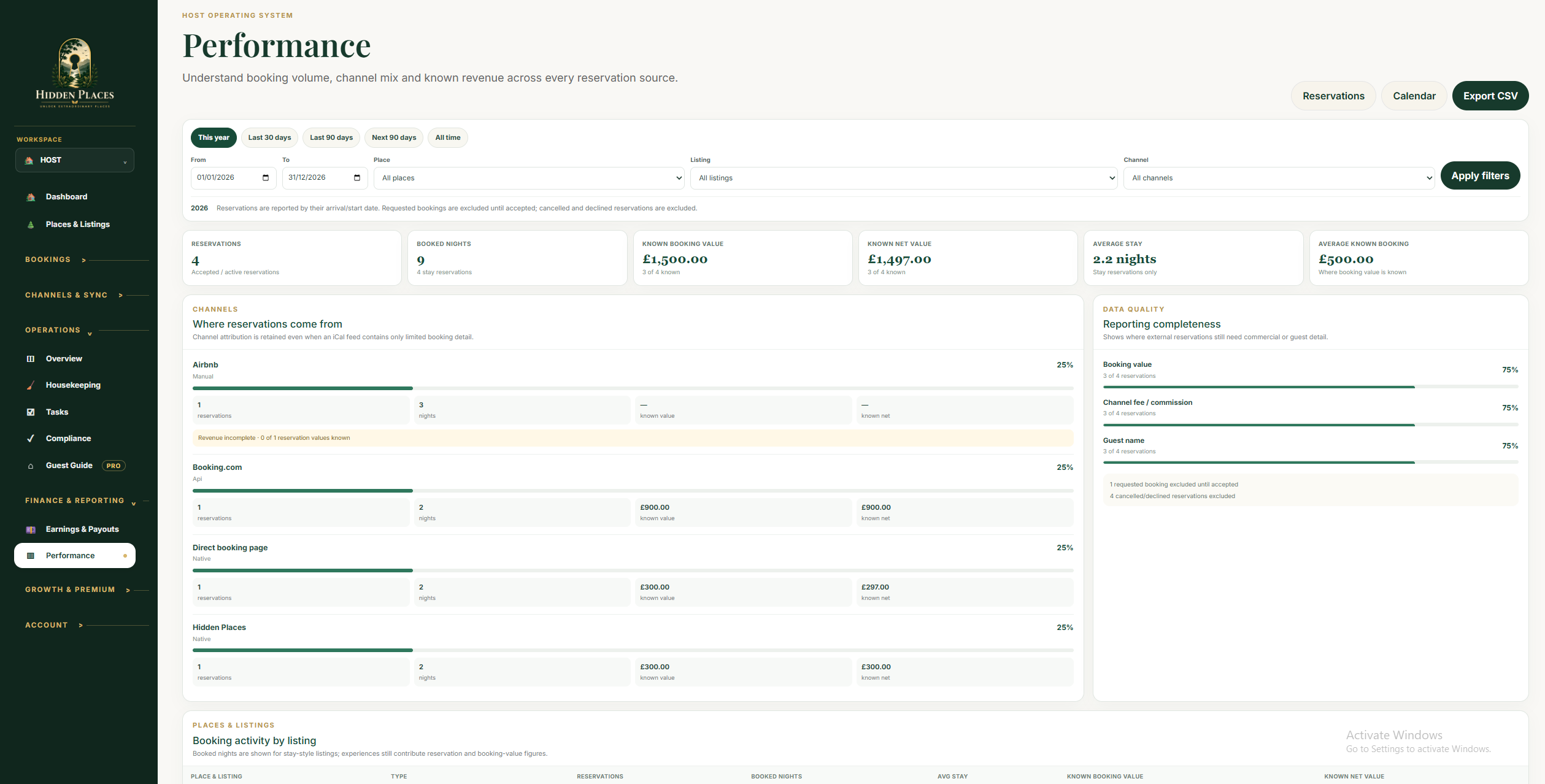
The operations overview above, calendar and report are genuine existing screens. Guest tools are the current native conversations and Guest Guide, not a unified channel inbox. These steps describe available tools, not automatic integration between every action.
No. API channel integrations are awaiting certification and rollout. Existing operations and reporting can be demonstrated separately; channel and foundation-only modules are not advertised as fully operational.
Use the existing pricing comparison and account selection flow for commercial details. Marketplace bookings retain progressive guest fees; paid tools, direct-booking fees and processing follow their current rules.
View current pricingReview the current options, then choose through your existing setup or account journey.